 Rigel of Midgard
Customization and client
Faraday: character preferences
Browse Faraday pages for ground markers, client presentation and party options.
Open and browse
Open Faraday from its icon. Previous and Next browse three pages: Ground, Client and Client 2.
Ground: ground markers
Adjust Circle 1–3, Square, Automatic range, M2E, Ground opacity, BBE and Deadcell.
- Circles: 1–20 cells.
- Square: 0–20.
- M2E alpha: 1–255.
- Ground opacity: 0–255. Character settings wait for confirmation and are saved for that character. See visual commands.
Client: local presentation
Includes windowed VSync, Show FPS, Grid Aurora, Signals, signal sender names, CPU saving, zoom speed, lightweight map priority, silhouettes and BuffTimer. VSync applies when presentation is reinitialized. Disabling lightweight map priority may require restarting the client. These local preferences are independent of per-character Ground settings.
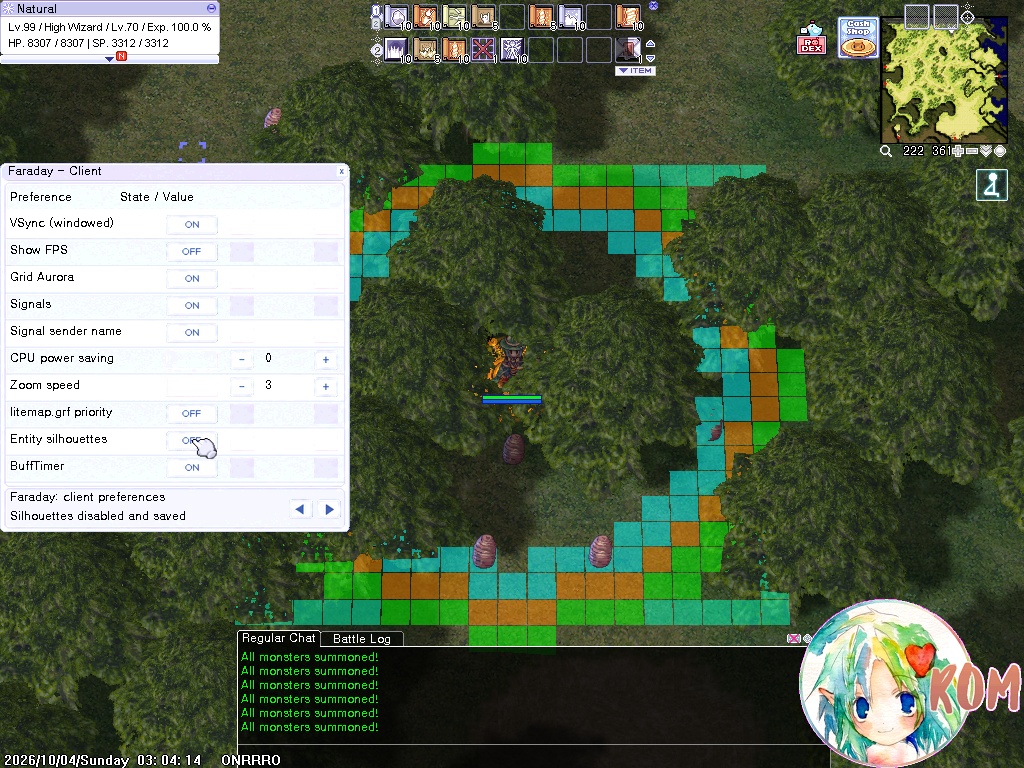
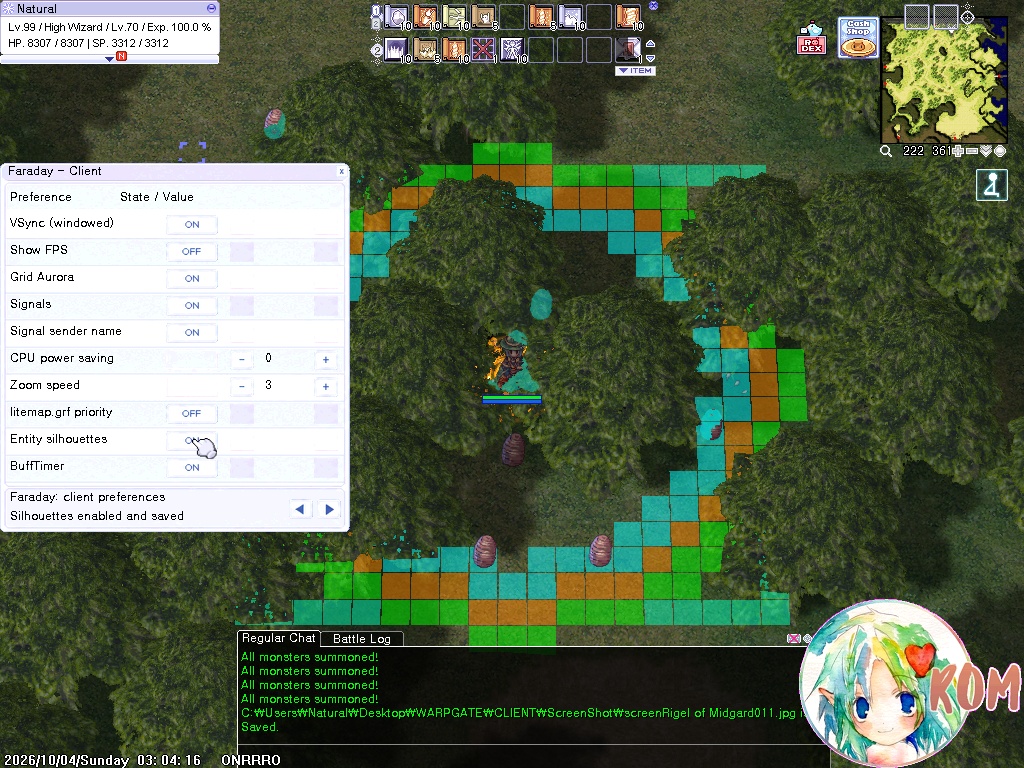
Silhouettes: before and after
In Faraday → Client, toggle Entity silhouettes between OFF and ON. Silhouettes highlight entities hidden by scenery. Compare the screenshots by moving the divider or the control below; you can also use the keyboard arrow keys while the control is focused.
Client 2: signals, party and chat
Adjust signal volume 0–127, party SP bars and chat opacity 0–255. Drag sliders or use −/+ for one-unit adjustments. Volume and SP bars require the server to apply the option; chat opacity is local. See client windows and combat information.