
 Rigel of Midgard
Items and convenience
Database: items and monsters
Search details, drops and maps from the client Database window and browse its results.
Search in the game
Open Database from the compatible Rigel client menu.
- Choose Items, Monsters or Maps.
- Enter a query and press Enter or Search.
- Select a result to open its details.
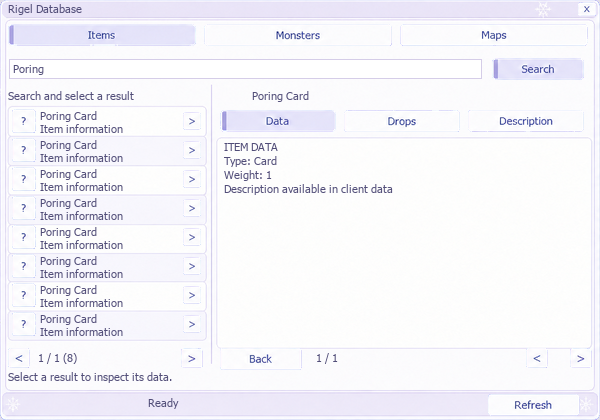 Illustrative view: repeated results and sample figures do not represent the server database.
Browse details
Read data, drops and monster/map relationships. Back returns to the previous view; Refresh updates the query. Results and details have separate pagination.
Interpret the data
Drops are estimates based on your character's conditions. Map spawns describe configuration: they do not show how many monsters remain alive or their next spawn time. Changing map or session discards pending queries. The window remembers its position and tab. See shop search and client windows.